
If you want to interact with your invoices using AI (like querying, listing, or automating tasks), you can connect Claude Code to the Invoi.vn MCP server.
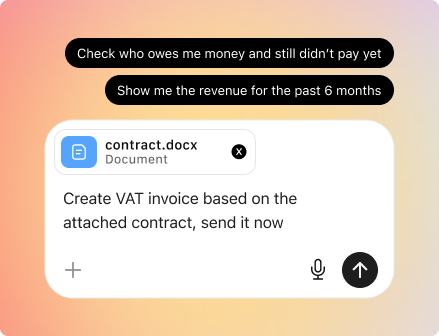
This guide walks you through the setup 👇
What you need before starting
- Access to your Invoi.vn MCP token
- The Claude desktop app installed on your MacBook or desktop
- Basic familiarity with prompts (no coding required)
Step 1: Open Claude Desktop
Launch the Claude app on your computer.
Then:
- Switch to Code mode (sometimes labeled as Claude Code)
👉 This mode allows Claude to run commands and connect to external tools like MCP servers.
Step 2: Connect to invoi.vn MCP
In Claude Code, type a prompt like:
Connect to the Invoi MCP server using this token: [your-token]
Claude will:
- Recognize the MCP connection request
- Ask for permission to run setup commands
👉 Important:
You need to approve these commands for the connection to work.
Step 3: Allow Required Commands
During setup, Claude Code will prompt you to:
- Run configuration commands
- Initialize the MCP connection
👉 Make sure to click Allow / Approve when prompted.
Without this, the connection won’t be established.
Step 4: Start Using invoi.vn via Claude
Once connected, you can start giving instructions like:
- “List my replaced invoices”
- “Show unpaid invoices”
- “Find invoices from last month”
Claude will:
- Query the invoi.vn MCP server
- Return structured results
Again, it may ask to run commands —
👉 approve them when needed
💡 Example Workflow
- You: List my replaced invoices
- Claude: Asks for permission to run a command, you click Allow
- Claude: Returns your invoice data
🚨 Common Issues
Nothing happens after prompt
→ Make sure you approved all required commands
Connection fails
→ Double-check your MCP token
Claude keeps asking for permission
→ This is expected — it ensures security and control
Why this matters
With MCP + Claude Code, you can:
- Access invoice data instantly
- Automate repetitive queries
- Build AI-powered workflows on top of invoi.vn
What’s next?
Try prompts like:
- “Summarize my unpaid invoices”
- “Which customers pay late most often?”
- “List invoices issued this week”
If you run into any issues, feel free to reach out — we’re happy to help you get set up.